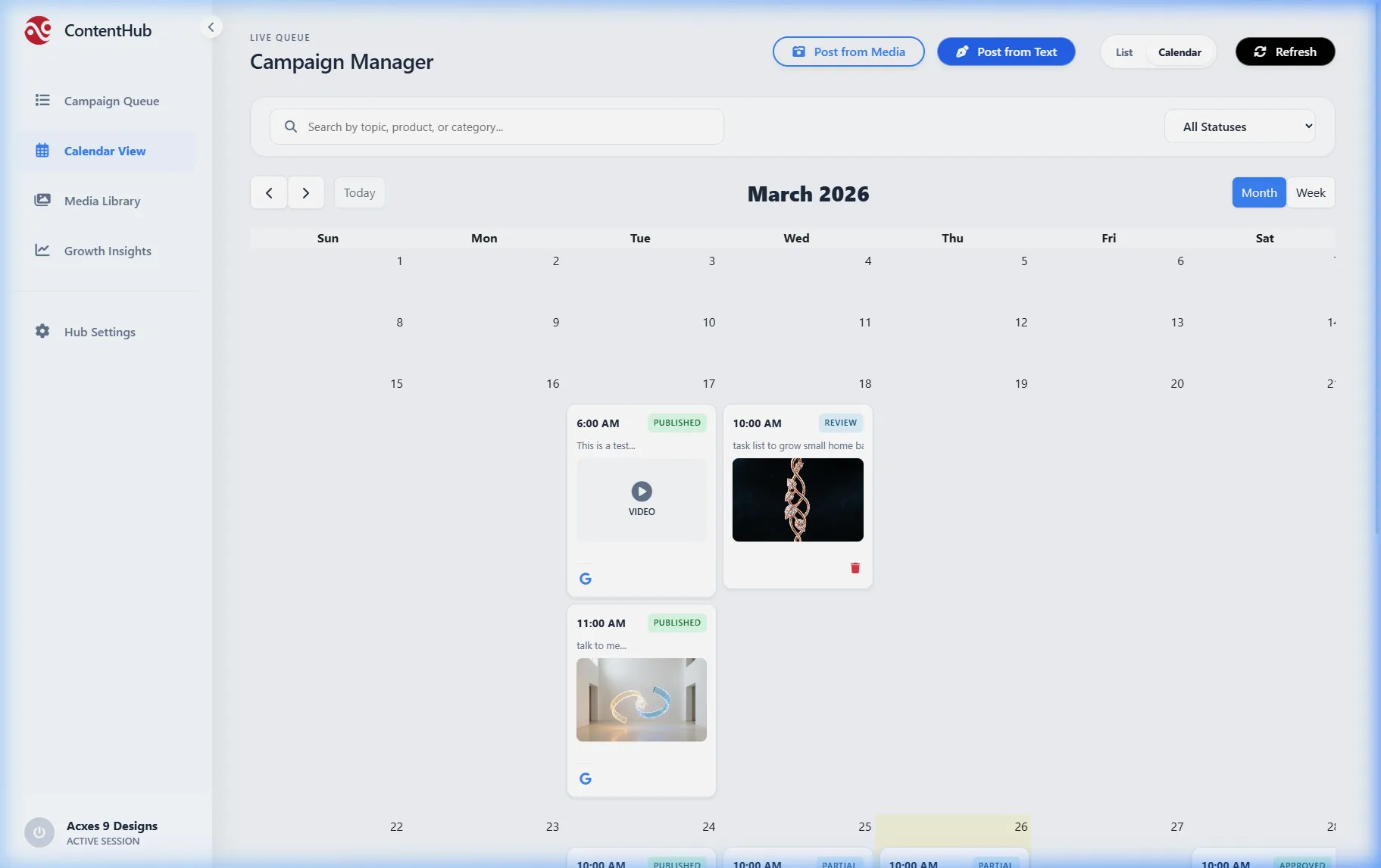
Plan your month in minutes.
Visual Layout
Open the monthly view. Create empty "Slots" for the days and times you know you want to hit your audience.
AI Batch Fill
Click "Auto-Fill." Kyroxity generates highly relevant posts based on your brand parameters and fills every empty slot instantly.
Drag & Drop Review
Review the month. Don't want two videos back-to-back? Simply click and drag one to next week.
Set and Forget
Once the grid looks perfect, walk away. The system executes the entire month's strategy with zero manual intervention.
Plan your month in minutes.
View Plans & PricingFeatures you'll actually use.
Multi-Brand Filtering
Managing three different companies? Don't look at three different calendars. View a master overlay of every brand, then click a toggle to filter down to a specific client's schedule.
Color-Coded Campaigns
Visually organize your content pillars. Make promotional posts green, educational posts blue, and culture posts yellow to instantly ensure your weekly mix is balanced.
Perfect Mobile Previews
Click any scheduled item to see exactly how it will look on an iPhone screen inside the native Instagram, LinkedIn, or Facebook app UI before it goes live.
Client Approval Views
Generate a secure, unbranded link to your calendar for clients or managers. They can visually review the upcoming month, leave comments, and hit "Approve" without logging in.